
Invoicing
Invoices sent, tracked and paid in one place
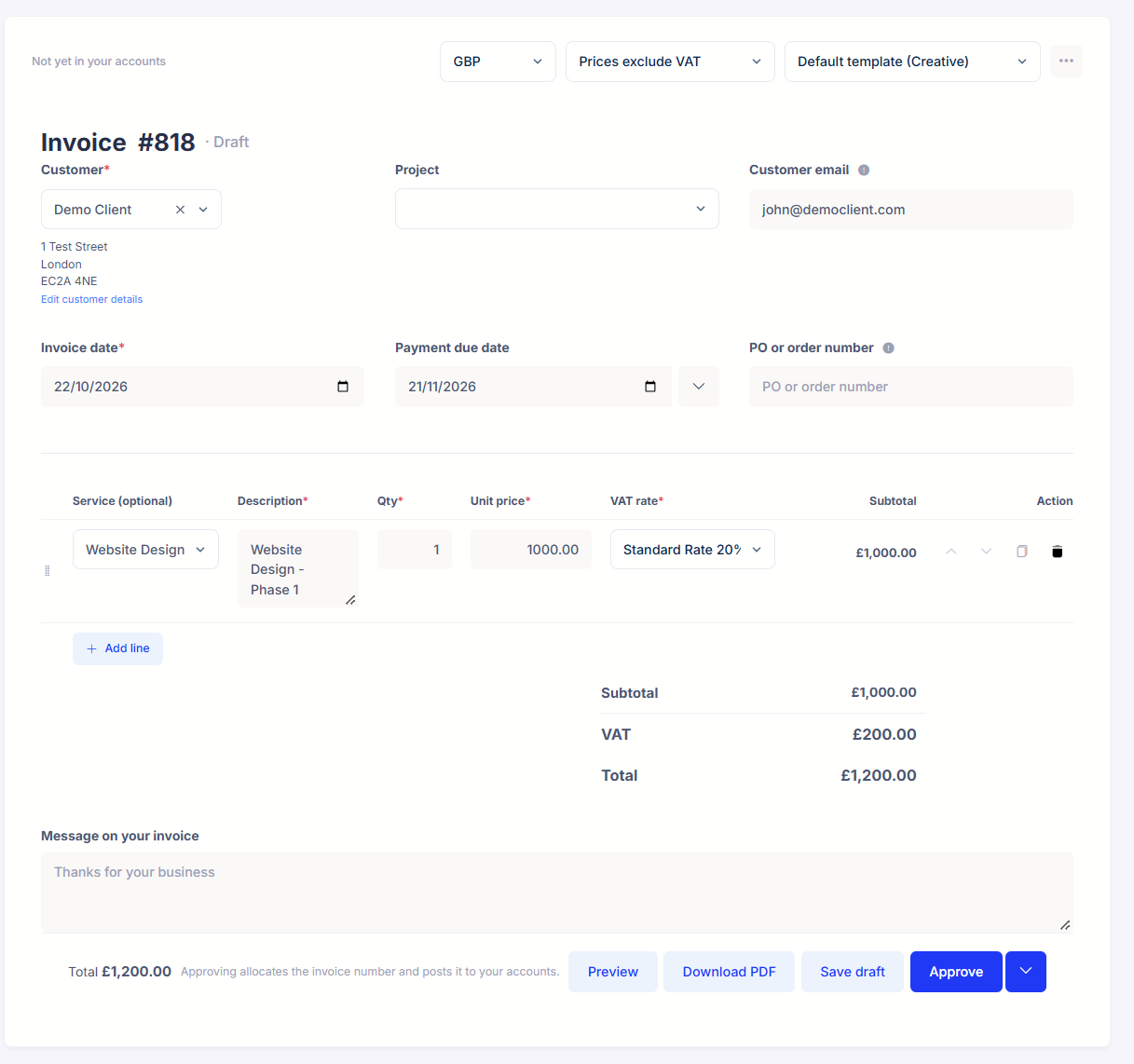
Raise an invoice in seconds, then email it from Mighty or download the PDF, and add a Stripe payment link so clients can pay by card there and then. There's no copying into your books afterwards: raising the invoice is the bookkeeping.

- Included in your plan, no per-invoice charges
- Send from your own email address
- Stripe payment links on your invoices
01How it works
From blank page to paid, in four steps
- 1
Raise it.
Pick the customer and describe the work, or pull in your saved service lines and day rates if you've set them up. VAT is calculated at the rate you choose, line by line.
- 2
Send it.
Email the invoice from Mighty, from your own email address if you've connected it, or download the PDF and send it your own way. Either way, it's tracked the same.
- 3
Get paid.
Include a Stripe payment link and clients can pay by card the moment they open it. No more "I'll do a transfer at the weekend".
- 4
Track it.
See what's due, paid and overdue at a glance, and chase only the ones that need it.
02What's included
Everything invoicing needs, in one place

Recurring invoices
Same client, same amount, every month? Set it up once and Mighty raises it on schedule.
Your own email address
Connect your Gmail or Outlook account and invoices send from you. Prefer not to connect one? They go from a mightyaccounting.com address instead.
Stripe payment links
A pay-by-card button on the invoice itself, so paying you is the easy option.
Multi currency
Invoice in dozens of currencies; Mighty handles the GBP conversion in your books automatically.
Service lines
Catalogue what you sell, services, products, hourly or day rates, and build invoices in a few clicks.
Invoices, your way
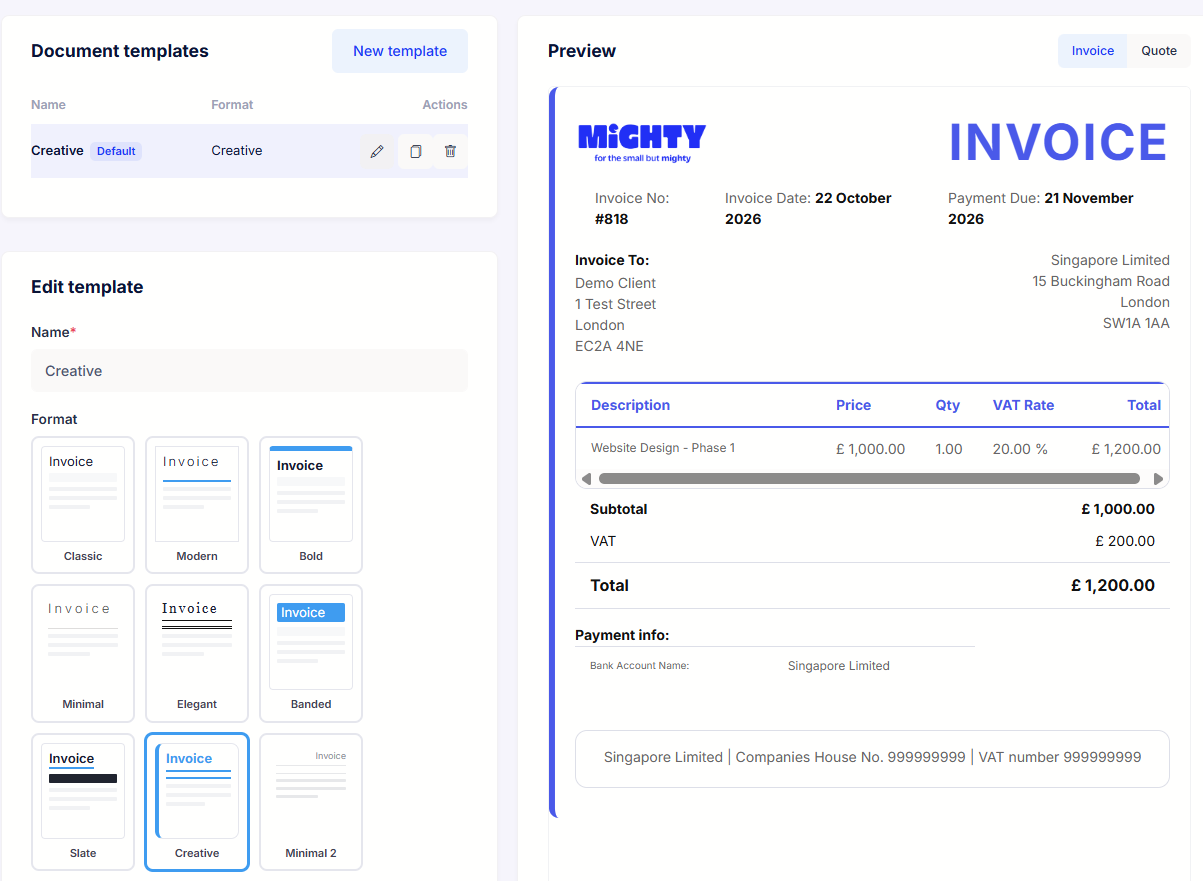
Choose a template, set your colours and theme, and add your logo. Trade under more than one name? Set up a template per brand and pick the right one per customer.
03Your accountant
Every invoice is already in your books
There's no exporting, forwarding or month-end tidy-up. The moment an invoice is raised it's in your bookkeeping, counted in your VAT and visible to your dedicated accountant, so questions about your income get answered from the real thing, not a spreadsheet you had to remember to update.

James Foster
Co-Founder · Accounting and product
Hi Priya,
No, nothing to send me. Raise the invoice in Mighty and it's already in your books, VAT included, the moment you hit approve. When the money arrives, it matches up with the invoice from your bank feed too.
Many thanks,
James
04Moving to Mighty
Bring your invoice history with you
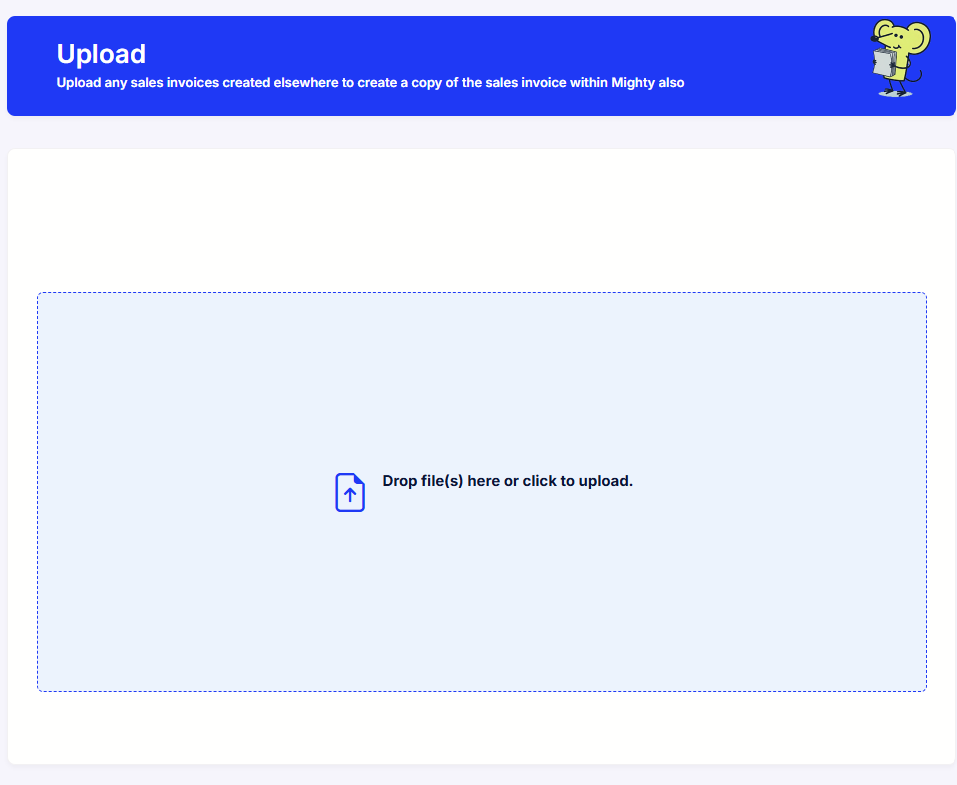
Switching software mid-year doesn't mean losing your trail. Import your past sales invoices in bulk from a CSV, with no limit on how many, or upload the PDFs and Mighty reads in the details: customer, date, description and amounts. Your records are complete from day one, year end has no gaps, and your dedicated accountant will happily help with the move.
And it's not just for switching. Prefer your own invoice design, bill through a third-party platform, or work with an agency that self-bills? Upload those invoices into Mighty and your books stay complete, with nothing raised twice.

Included in your plan
Invoicing comes with every Mighty plan. No per-invoice charges and no limits on how many you send. Card payments through a Stripe link carry Stripe's standard processing fee.
per month
Can I send invoices from my own email address?
Yes, connect your Gmail or Outlook account and invoices arrive from you. Without a connected account, they're sent from a mightyaccounting.com address.
Can clients pay by card?
They can. Most Mighty clients are simply paid by bank transfer using the details on the invoice, and that works fine. If you'd like to offer card payments too, add a Stripe payment link and the invoice carries a pay button: the money lands in your Stripe account, Mighty matches it in your books, and Stripe charges its standard processing fee.
Does Mighty do recurring invoices?
Yes. Set the invoice up once as a recurring template and Mighty raises it on schedule.
Can I invoice in other currencies?
Yes, dozens of them. Your books stay in pounds; Mighty handles the conversion.
How do I know what's been paid?
The invoice list shows due, paid and overdue at a glance, and invoices match against your bank feed as money arrives.
Can I add my logo and customise the look?
Yes, invoices carry your logo and details, and you can add a message of your own to each one. Trading under more than one name? Set up a template per brand, each with its own trading name and logo.
I'm moving from other software. Can I bring my old invoices?
Yes. Import them in bulk from a CSV, with no limit on how many, or upload the PDFs and Mighty reads in the customer, date and amounts. And your dedicated accountant will happily help with the migration.
My agency self-bills, so I don't raise my own invoices. Does that work?
Yes. Upload the self-billed invoices, or any invoices raised outside Mighty, and they sit in your books like ones raised here.
Can I rebill expenses to a client?
Yes, add the expense straight onto their invoice so it's never forgotten.
What about quotes?
Send a quote first, and when the work's agreed, turn it into an invoice without retyping anything.
Is the VAT handled?
Yes. VAT is calculated on the invoice and flows through to your VAT return automatically, checked by your accountant.
Get in touch
Talk invoicing through with an accountant
Book a free call and we'll show you how invoicing works in Mighty, from the first invoice to getting paid, and how to bring your history across if you're switching.

"We'll be happy to discuss your business, answer any questions you have and discuss whether Mighty is a good fit for you."
Book a free call →